Note: This is a stream-of-consciousness/blindly-fiddling-around (the way I do most things) order-of-discovery Review (which normally I go back later and try to better-order)…
Side Buttons: Pressing Down is Next Track, pressing Up is Previous Track. That's wrong, right? At least not how (I think) I am used to it upon other music-players (including BRAND/ APP: where long-press volume to change tracks). I shall just have to adapt to this downward-wrong order of these track-change buttons.
Set the clock to 12-hour: yet still displays on the screen saver as 24-hour (being the only place you can find the time; wait, nope, is on the home screen too, which there is AM/ PM). If the screen saver is set to Clock (versus Normal: which means no screen saver), upon pressing power to wake the screen, the screen/ time/ date-saver is shown and the screen has to be tapped to get past it, every time.
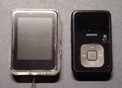
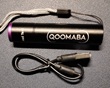
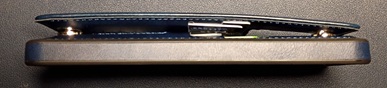
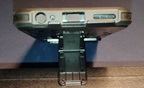
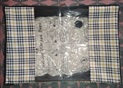
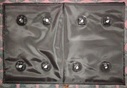
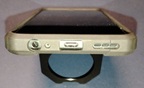
Put on the protective case, thanks for (not making us separately buy) that. Easy enough to install, remove, provides nice padding/ protection to the back/ sides of the player, adding only minimal weight/ bulk.
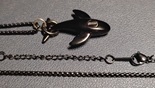
Lanyard: At first I thought it hung too low (no way to adjust), but I have found I can just barely, at that distance, read it well enough without my glasses to find/ play music (though it is blurry: yet navigable given how familiar the Artist/ Album Names are to me). It is light/ small enough that you do not really notice it hanging around your neck (even less-so under your shirt: though people will assuredly spot it beneath (be more likely to comment than if it is out in the open)?), until you start walking: then it bounces off your belly, swings with your swagger. The headphone jack is on the bottom, which is where best it could have been as it hangs upside-down: being the right way for turning rightside-up to read/ use it.
Volume Level: Goes significantly higher than one could possibly listen to it (on wired headphones: but perhaps that's a different story over BT, as most-other music-devices tend to present themselves at different volumes per in/ output-selected). [Reminder-to-self: look into that, later. Answer, Later: lower-volume is better the same as headphones, as the sound starts to distort above volume 5. No, wait: volume-independent are the player and the speaker: changing volume on the speaker does not adjust on the player (nor elsewise).] But there's not nearly enough Low(er) Volume-settings (on wired; yet better on BT, it turns out). I find myself setting it at 3 for normal listening, not much room to go down from there: too dramatic of a volume-shift going quiet(er): can make it harder to find the perfect/ comfortable level… However, Volume 1 seems to be almost good/ low enough for dozing-off while listening (yet uncomfortable while wearing headphones)… Does this have a Sleep Timer? [Answer: No, too bad: missed opportunity, standard feature.]
Battery (out-of-the-box): Down one quarter(ish) after 10 minutes of fiddling with the screen, settings, loading up 8gb worth of mp3, and about 20 minutes of playing music (at vol 3). But, there's no actual battery percentage anywhere (in Settings, typically) to show the exact amount left (nor timers for how-long-played since last-charged): to better track battery-life, presenting only as the tiny icon in the top-right (which is vague, at best).
Note: Took about a minute to load/ sort 8gb of Albums, then ran the reload again for Singers (aka Artists), then Genre(?: nope, not a sort-option, sadly), haven't yet tried All Music… [Answer: Doesn't have to reload every time to go back to pick-your-sort: once-through is all each sort-order requires.]
Recorder: Sound wasn't great, rather staticky. Where's the microphone on this thing? I cannot seem to spot it. [Answer, the next day, in the light: no detectable pinhole for the microphone: that explains it.] Note: this was at High Quality Setting: being less than stellar, yet passable. Can either click the layers-looking icon to Save, or simply press Back and it will confirm Save/ Delete.
Pictures: It found every folder.jpg on the SD (yet some it fails to render). Swipe left for Next, right for Previous. Album Art being about the best you could hope to be able to see on this tiny screen (which, for some reason: it does not show as the background on Now Playing (all of which mp3s have their album art metatagged within, too), why not?)… Trouble is, there is no tap/ swipe to exit back out: had to fully power-off-button the player to finally get out of Pictures. [Update: music abruptly stops while scrolling through pictures (difficulty multitasking much?). Oh, duh, swipe up to exit-out.]
Note: It remembers where last you left off musically, down to the second: if you power-off (completely) and back on and then click Music>Last Played.
Playback: By default, it plays albums on Repeat All. Tap that icon until it is two right-arrows if you want it to stop playing at the end of an album (which is usually how I prefer it).
Playback Quality: It sounds as good as whatever the quality of your mp3s… Better quality sounds better but uses more battery in return.
Query: Can you use wired headsets to function as external microphone? [Answer, investigated the next day: unclear, sounded the same either way. Note: plugging in head-set/ phones does not stop BT output, have to manually Home>Apps>BT>Off to switch between; then must manually Home>Apps>BT>Connected Devices>Connect to reconnect… Disappointing, fix that please?]
It is about the same size as my old Sansa Clip+: in which the battery has finally died. It being what I use(d) when out in the yard/ barn/ firepit, at the grill, mowing the lawn, stacking firewood: as I do not carry/ keep my telephone around with me (even while indoors). I appreciate finally having a replacement to suit that musical purpose/ void.
Note: The screen does not wake while changing tracks using the side-buttons nor when changing volume: which is appreciated (I wish my car stereo-screen paid that same consideration of staying-off).
USB-Micro: Minus One Star: It was a terrible plug/ jack when it came out 18 years ago: please, let's be done with it, move on already.
Note: It occasionally seems to have some trouble with what order to put things in… Some Albums show the tracks out of order (only one or two I found: perhaps the FileNames are out-of-order?); and Albums-sort has the lowercase 'a's (and presumably other lowercase letters) and upper/ lower 'æ's on the final, rather than the first, page. Not mission-critical, just annoying (please fix?).
The mp3s on this 8gb Micro-SD I took from my old Sansa are 128k. I wasn't then going for the best quality, and SD's (capacities) used to be far smaller back when I bought it (in the digital dark-ages). So, I will plug this device straight into the computer, with its included 32gb SD instead and transfer over my (preferential) 192-360k VBR mp3s. Will apprise: tomorrow (or the next day) when/ if I get around to it…
Queries: Can it handle .flac? When it comes to battery versus quality: how much better is it going to sound as flac than 320k VBR, really (what's the BT-bitrate cutoff anyway)? [Perhaps I'll look into that sometime, but probably not.] [Answer, later: having finally cracked the (unhelpful) instructions sheet… flac: yes, BT: v5.0 (for whatever that's worth in bitrate), battery: 300mAh.] [While here, time to see what else is in the box: USB-Micro cable (gross), wired earbuds (not headset) with three sizes of earplugs, an extra screen protector (firm/ thick, rather than the flimsy one it arrived wearing): decent accessories.]
It can be a bit ‘futzy’ getting all the way back to Home from the Now Playing (or several layers deep into Music) screen: lots of tapping the Back button (in the top-left)… Oh wait, there it is: on Now Playing, tap ‘hamburger,’ first option: Main Page. Note: if you screen-off while in this menu, that is where the screen will come back to when screen-on'd (I found-out when it timed-out).
Variable Speed Playback: A menu-option or an icon on Now Playing… Fun to play with, both positive and negative up-to-9x speeds, but got old quick. I'm sure it would be helpful for speeding-up audiobooks (presuming anybody ‘reads’ anymore).
Playback Mode: Loop All, Shuffle, Loop Single, Repeat Off. So that's what those icons stand for on Now Playing. Yet another way to get at those settings: appreciated (not that I ever use them).
EQ Sound Effect: Pop, Rock, Jazz, Classical… You know, the standards (always missing Metal): none of which I ever use (as they distort/ destroy the intended sound).
Note: All listening (so far) done through my wired $10 BRAND "can" headphones: which sound great, btw. Will have to try earbuds (which hurt my ears, so rarely do I use) and BT (which I don't like beaming inside my head/ phones) to the battery-powered mini-soundbar (I keep around for power-outages), tomorrow. [Tomorrow: earbuds sound okay, but I prefer headphones; BT-soundbar: sounds okay, once I lowered the (independent) speaker-volume and then raised the player-volume which remedied the distortion-effects: it'll do for when next/ again there's a neighborhood blackout (being about the only time I use BT).]
Update: The battery-bar is now down to what looks like one-quarter(ish): being halfway through the third album-played (at vol 6 for the past 30-or-so minutes just to see how that ‘feels’), fiddling around for a few minutes here/ there with the Settings between writing about things, being even more minutes of late…
Time to put this away for the night: it is interfering with my tv-watching: having been on pause for 60 minutes now (trying to pay attention to too many things at once). Good night.
Naturally, I came back to it awhile later (as my brain kept positing questions) and fiddled around for another 60-or-so minutes, at vol 6: the battery still reads (I think) one-quarter. Now, back to stupid-tv-watching: such to shut off my stupid-brain for the night…
Reminder-to-self: Check if Albums are subset to Artists-sort. Only so far played music as/ through Albums (being how I listen to my music, how do you?)… [Answer: Nope. Artists show All Songs in Alphabetical FileName-Order only, no subdivision by Album: causing stuff to play back all out of whack. Were I the vindictive/ petty sort: I would knock-off another star just for that: but I'm not so I won't.]
Next Day–
Went back and answered the questions left-over from yesterday… What else am I missing? Other Home Icons:
FM: Works, can auto-scan to assign presets or manually tune-in and preset-set. Helpful for if you cannot receive a station here, but can there, yet don't want to auto-scan (reassigning the presets when there: as far-too-many other (cheap) FM-capable players force you to).
Alarm: Not going to play with that. Last thing I need is another device beeping/ screaming at me. [My telephone being the only Alarmed device: always informing me when I need to be where with plenty of heads-up beforehand to get cleaned-up, ready, and get there with time to spare.]
Folder: Lets you get at Recordings, and Music subsets of: Audiobooks, Music (again, which the filenames are all out-of-whack), Podcasts, Playlists.
Apps: Bluetooth, Timer (count-up only), Calendar (month view, highlights today in blue to start; can swipe between months but then forgets what today is; can tap any day to highlight it blue, which accomplishes nothing).
Settings: I won't bore you with all that… Suffice it to say: not bad, I've certainly seen worse. Plenty enough to toggle.
Update, Battery Life: still at one-quarter(ish) after two hours of extensively diddling around with the screen mostly on, while broadcasting/ playing over BT (mostly at vol 5). Respectable.
Car: Perhaps eventually I'll plug it into the car to see how it functions as a USB-drive. But don't hold your breath on that one.
Overall– Four Stars: small, decent battery, plays my music (however it best suits the situation), lets me record any important conversations (being an Accessibility Accommodation I occasionally require). Thank you.
Update– Further Notes…
Artist and Album Names do not sideways-scroll (you only see what fits in the width of the screen); Track Filenames(.ext) do scroll (all start scrolling at once, even those on the following pages: therefore have to wait for the start of the name to come back around (none of which line up as each filename has a different length): rather than starting scrolling only when accessing that page; must use the up/ down icon-buttons to change screens: rather than swipe… though, Music sort-screen scrolls via up/ down-swipe (not buttons, same as does Settings) but not the other screens. [You'll adapt, but figured was worth mentioning the display-discrepancy. Perchance add some Scroll Options in Settings?]
Now Playing screen: there's room enough here for rows each of Artist/ Album/ Title (which here too it instead displays as one-line-scrolling filename.ext), would prefer it not to scroll, or better, read/ display the metatags (rather than filename). Showing the Album Art as background here would be nice too (rather than the vinyl LP backdrop it defaults to).
Home: Would prefer the ability to reorder the icons/ shortcuts: if for nothing else than putting Music and (App>)BT right next to each other.
Nuisance: I had to rename each filename as "artist- (album-) track##- title.mp3" to ensure they (dis)play in correct/ sensical artist/ album/ track order. [Using app ‘mp3tag’ to accomplish, quickly.]
Battery: Lasted another 5 hours over BT (with minimal screen-on time, placed under a foot apart). Plugged it into the computer to transfer-over 3000+ mp3s: took about an hour; battery level went up to around three-quarters.
Updates– A Week (or so) Later: a few more thoughts occurred to me…
Replay Gain: Track/ Album: not an option, sadly. When playing a diverse mix (/miscellany folder): track-gain would help level-out the significant volume variations that can be found, otherwise stick to album-gain for consistency. [Make it a hamburger-menu option on Now Playing for quick access, please?]
Built-in Speaker: Not great, not tragic. Good enough to quick-listen to a clip or a song (if quality not your desire).
Sleep Mode exists (in theory): called "Timed Shutdown," there's also something called "Power Saving Shutdown," neither of which seem to do anything.
Pressing the side (nor volume) buttons does not change/ scroll screens on Settings, Artists/ Albums/ Songs: only changes Now Playing tracks (/volume). [Too bad.]
Mix or Soundtrack Filenames (for proper order/ display): track##- artist- title.mp3 [Again, if Now Playing showed the metatags rather than filenames…]